Connect a remote PBS and sync from the dashboard
Connect your on-premise Proxmox Backup Server to the Cloud-PBS dashboard, monitor its datastores, and create pull or push sync jobs on a schedule.
Last updated: July 22, 2026
The Remotes section connects your own on-premise Proxmox Backup Server to the Cloud-PBS dashboard, so you can monitor its datastores and synchronize backups, all from one place. This is the dashboard-driven method; you can also configure a push job from your PBS web UI directly, see configure synchronization.
Add a remote PBS
Open Remotes and add an instance. You provide:
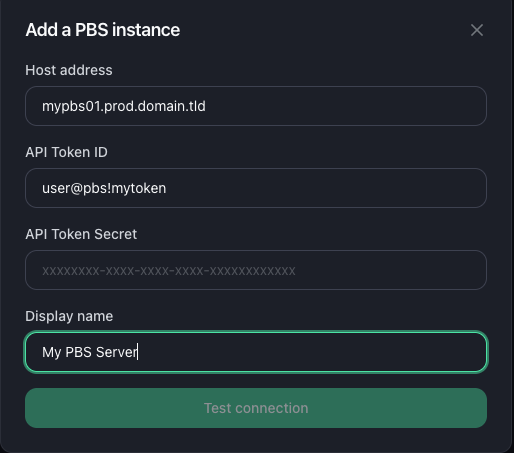
- Host: the address of your PBS, with port (for example
10.0.1.5:8007). - Name: a label to recognize it.
- API token and secret: a token on your PBS that Cloud-PBS uses to connect (an
Auth IDlikeroot@pam!cloudpbsand its secret).
The dashboard tests the connection before saving. Once added, the instance appears with its connection status.
Monitor a remote
Open a connected remote to see:
- Overview: the remote datastore’s usage and storage history (12h to 1 year).
- Backups: browse its snapshots by namespace and group, with verification status.
Create a sync job
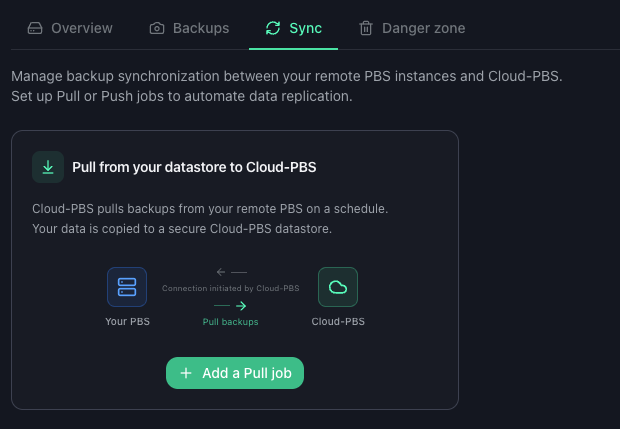
On the remote’s Sync tab you can create two kinds of job:
- Pull: Cloud-PBS pulls backups from your remote PBS into a Cloud-PBS datastore. A good way to keep an off-site copy of your on-premise backups.
- Push: Cloud-PBS pushes backups to your remote PBS.
The wizard lets you pick the source and destination datastore (a destination on Cloud-PBS can be an existing datastore or a new one), and a schedule: hourly, daily, or a custom systemd calendar expression. For pull jobs you can also enable remove-vanished to mirror deletions.
Run and monitor jobs
From the Sync tab you can:
- Run a job now, without waiting for its schedule.
- See all jobs (pull and push) with their source, destination, schedule and status.
- Open a job’s history (status, duration), view or download an execution log, and stop a running task.
- Delete a job.
Remove a remote
The remote’s Danger zone removes the connection from Cloud-PBS. Removing the remote does not touch the data on your on-premise PBS.