Datastore notifications and alerts
Choose which events each Cloud-PBS datastore reports (backup, verification, GC, prune, sync, storage, missing backup, restore test, daily digest) and set their thresholds.
Last updated: July 22, 2026
Per-datastore control
Each datastore decides which events it reports. Open a datastore and go to its Notifications tab. What you enable here is sent through the channels you set once in Notification webhooks and to your notification email.
Event types
Toggle each one independently:
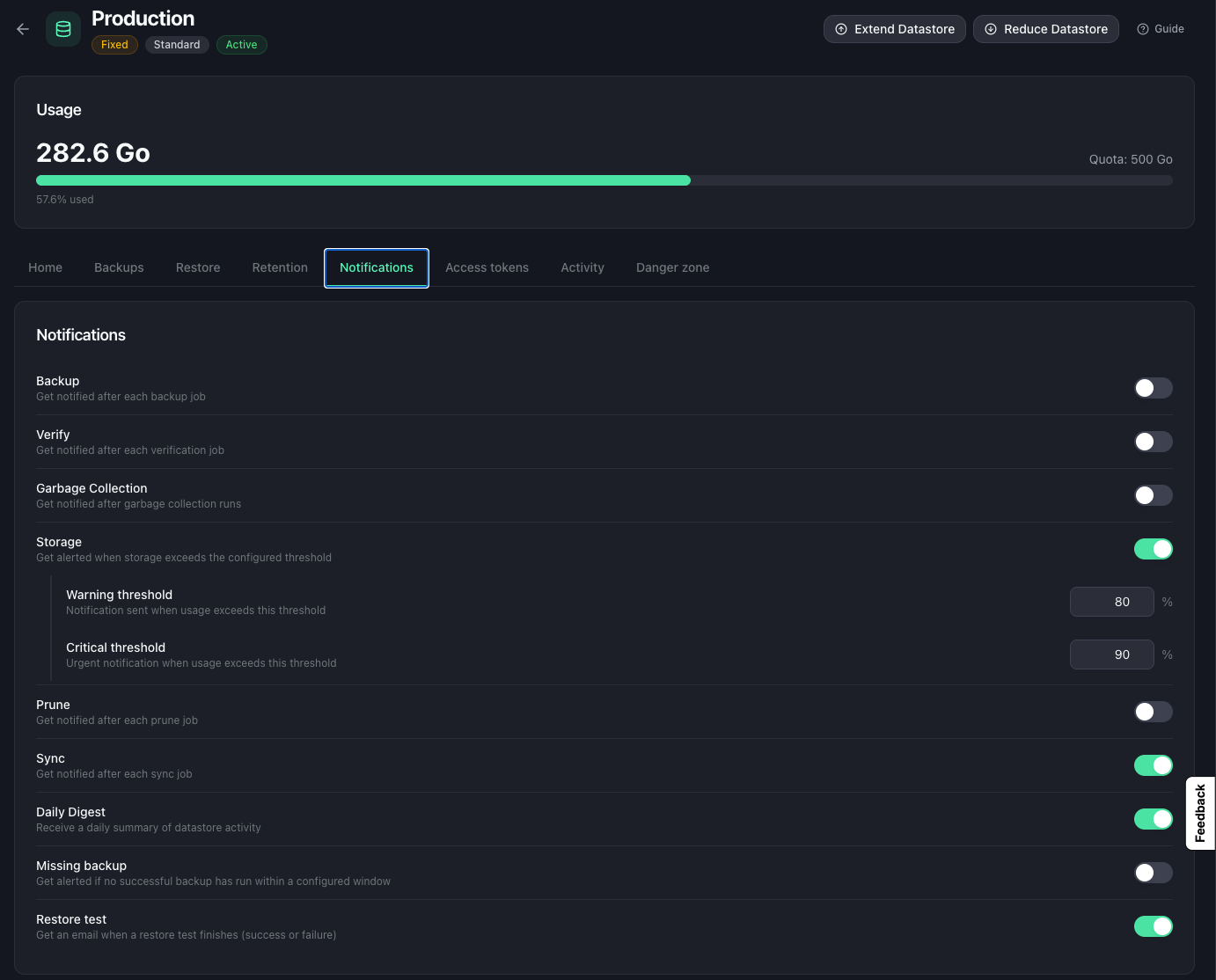
- Backup: a backup finished.
- Verification: a verify job completed (integrity check).
- Garbage collection: a GC run completed.
- Prune: a prune (retention) run completed.
- Synchronization: a sync job (pull or push) completed.
- Storage: usage crossed a threshold (see below).
- Missing backup: no successful backup within a delay you set (see below).
- Restore test: a restore test finished, whether it succeeded or failed.
- Daily digest: a once-a-day summary of the datastore’s activity.
Enable only what matters. A production datastore might report missing backups and storage; a lab one might stay quiet, or keep just the daily digest.
Storage thresholds
When Storage is enabled, you set two levels:
- a warning threshold and a critical threshold, expressed as a percentage of the quota for fixed-size datastores,
- or a threshold in GB for Pay-as-you-go (Object Storage) datastores, which have no fixed quota.
Missing-backup threshold
When Missing backup is enabled, set the delay after which the absence of a successful backup raises the alert (in hours or days; the default is 7 days).
For finer control, each backup group (VM or host) can be supervised individually, with its own delay, from the datastore’s Backups tab. See missing backup alert.
Where notifications go
These notifications use the channels defined in Notifications > Settings: your notification email and your chat webhooks. Set those up first, see Notification webhooks.