Notification center
Read and manage the alerts you received in Cloud-PBS: the bell in the header and the Received tab, with filters, search and read/unread controls.
Last updated: July 22, 2026
Beyond email and chat webhooks, Cloud-PBS keeps every alert inside the dashboard, so you always have a history even if you missed an email.
The bell
The bell in the top bar shows your unread count. Open it for a quick list of recent notifications, mark them read, or jump to the full center with See all.
The Received tab
Open Notifications > Received for the full list. Each entry shows its type, message, time, and a link to the related resource when there is one.
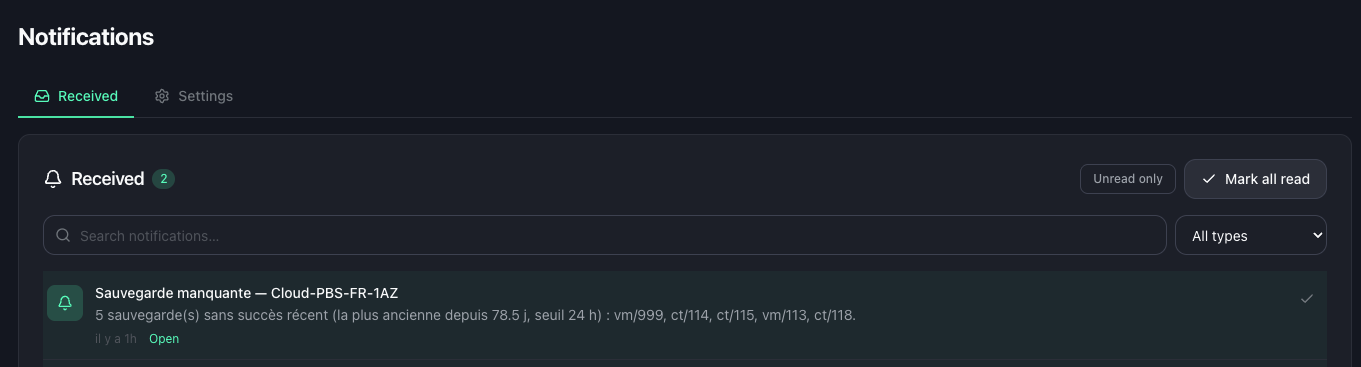
You can:
- Filter by type (ticket, deployment, alert, broadcast, backup, verification, garbage collection, prune, sync, error, removal, and more).
- Search the notifications.
- Show unread only.
- Mark a notification read or unread, or mark all read.
- Page through the history.
Where these come from
The notification center collects what your datastores report. Choose which events each datastore sends in its Notifications tab, and set up email and chat delivery under notification webhooks.