Billing
Understand the two Cloud-PBS billing models (Fixed and Pay As You Go) and manage your subscriptions, invoices and payment method from the dashboard.
Last updated: July 27, 2026
Cloud-PBS offers two billing models depending on the product type. You manage everything from the Billing section of the dashboard.
Fixed (Shared Datastores)
Fixed monthly billing based on the storage tier selected at subscription. The price does not vary with actual usage.
| Storage | Price / month |
|---|---|
| 250 GB | €6 |
| 500 GB | €8 |
| 750 GB | €10 |
| 1 TB | €12 |
| 2 TB | €24 |
| 3 TB | €36 |
| 4 TB | €48 |
| 5 TB | €60 |
| 10 TB | €120 |
| 15 TB | €180 |
- Shared infrastructure (1-AZ)
- Guaranteed dedicated storage on the selected tier
Pay As You Go (S3 Object Storage)
Usage-based billing in 100 GB steps, based on the hourly peak of each bucket, with a 300 GB minimum.
New accounts get a 7-day free trial: usage during the trial is free, a payment method is required, and the 300 GB minimum is charged at the end of the 7 days, when normal billing begins. Cancelling before the trial ends incurs no charge.
Pricing
| Replication | Price / 100 GB / month | Price / TB / month |
|---|---|---|
| 1-AZ (Standard) | €1.30 | €13.00 |
| 3-AZ (Multi-AZ) | €2.20 | €22.00 |
How does it work?
- Every hour, the system records the peak usage of your bucket
- Usage is rounded up to the next 100 GB step, with a floor of 3 steps = 300 GB (the billing minimum)
- You are billed for each step × each hour of usage
- Prorating is automatic: a bucket created mid-month only pays for the remaining hours
Example: variable usage over one month
A bucket with varying storage over a 30-day month (720 hours):
| Period | Usage | Billed steps | Hours |
|---|---|---|---|
| Days 1 to 10 | 100 GB | 3 (minimum) | 240h |
| Days 11 to 20 | 300 GB | 3 | 240h |
| Days 21 to 30 | 20 TB | 205 | 240h |
1-AZ calculation (Standard)
| Phase | Calculation | Cost |
|---|---|---|
| 100 GB × 240h | 3 steps (min) × 240h × €1.30/730h | €1.28 |
| 300 GB × 240h | 3 steps × 240h × €1.30/730h | €1.28 |
| 20 TB × 240h | 205 steps × 240h × €1.30/730h | €87.58 |
| Total | €90.14 |
3-AZ calculation (Multi-AZ)
| Phase | Calculation | Cost |
|---|---|---|
| 100 GB × 240h | 3 steps (min) × 240h × €2.20/730h | €2.17 |
| 300 GB × 240h | 3 steps × 240h × €2.20/730h | €2.17 |
| 20 TB × 240h | 205 steps × 240h × €2.20/730h | €148.27 |
| Total | €152.61 |
Good to know: if the 20 TB usage had been constant for the entire month, the cost would have been €266.50 (1-AZ) or €451.00 (3-AZ). Thanks to hourly prorating, you only pay for 20 TB during the last 10 days.
Comparison
| Fixed | Pay As You Go | |
|---|---|---|
| Billing | Fixed monthly amount | Usage-based (100 GB steps) |
| Minimum | 250 GB | 300 GB (3 steps) |
| Prorating | No | Yes (hourly) |
| Replication | 1-AZ | 1-AZ or 3-AZ |
Manage your billing in the dashboard
Open Billing in the dashboard to:
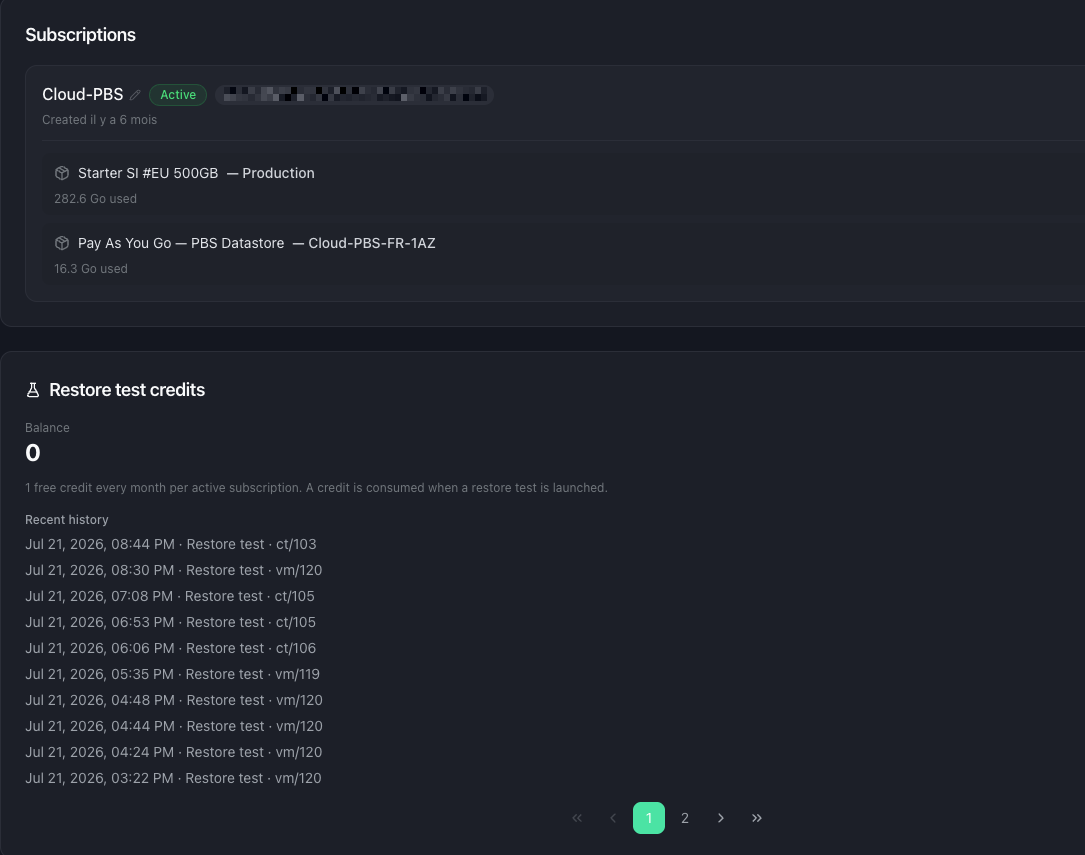
- See your subscriptions and the products in each (price, period, status). You can rename a subscription and add a product or datastore to an existing one.
- Track Pay-as-you-go usage: each PAYG product shows its current-month usage and estimated cost.
- Manage your payment method through the Stripe customer portal.
- Update your billing address and VAT number: they are shown in the Billing section; click Edit to change them in the Stripe customer portal, where the address is validated for tax and EU VAT numbers are checked (VIES) to apply reverse charge.
- View and download invoices as PDF.
- Cancel a product: immediately or at a scheduled date, with a reason and a password confirmation. A product scheduled for removal shows a badge until the date is reached.
Restore test credits
The Billing section also holds your restore test credits: your balance, purchases (with volume pricing) and transaction history. Each active subscription includes a free credit per cycle. See restore test credits.