Restore test credits
How restore test credits work in Cloud-PBS: one credit per test, a free monthly credit per active subscription, volume pricing when you buy more, and where to see your balance.
Last updated: July 22, 2026
What a credit is
A restore test credit is what you spend to run one restore test. One credit equals one test. Credits belong to your organization, so any member can use them.
Your free monthly credit
Every active subscription grants one free credit per billing cycle. A datastore on a monthly plan therefore receives a fresh credit each month, when its invoice is paid. There is nothing to do: the credit lands in your balance automatically.
Buy more credits
When you need more, buy them from Billing. Pricing is volume-based: the whole purchase is billed at the tier your quantity falls into.
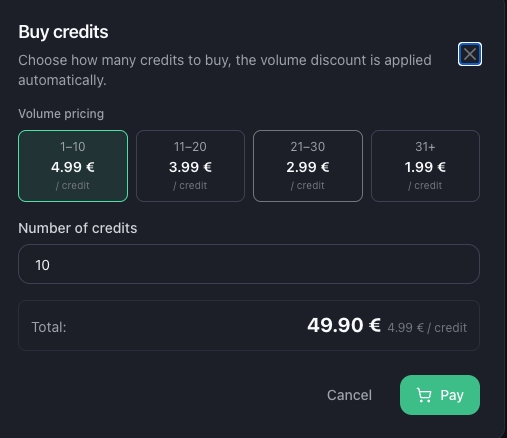
| Quantity | Price per credit |
|---|---|
| 1 to 10 | 4.99 € |
| 11 to 20 | 3.99 € |
| 21 to 30 | 2.99 € |
| 31 and more | 1.99 € |
- Enter any quantity from 1 to 999; the total and the per-credit price update live.
- A Stripe promotion code can be entered at checkout.
- A numbered invoice (PDF) is generated for every purchase, available in your invoices.
Balance and history
In Billing, the Restore test credits card shows your current balance and the recent transaction history:
- Purchase: credits you bought
- Free monthly credit: the automatic grant per subscription cycle
- Manual grant: credits added by our team (for example a goodwill gesture)
- Restore test: one line per test run, showing the credit spent
Spending a credit
Launching a restore test from a datastore’s Restore tab consumes one credit. If a test cannot even be started because no restore host has enough free space, no credit is charged and our team is notified to provision capacity.