How to schedule backups from your Proxmox VE interface
Last updated: June 24, 2025
Introduction
Proxmox VE has an advanced scheduler for your backups. You can add all your virtual machines and containers into a scheduled or multiple jobs with different retentions, notes and bandwidth limits.
To be able to configure a backup job from your remove PVE instance you need to already have added your Cloud-PBS instance following this docs.
PVE Configuration
Once your are connected on your Proxmox VE interface :
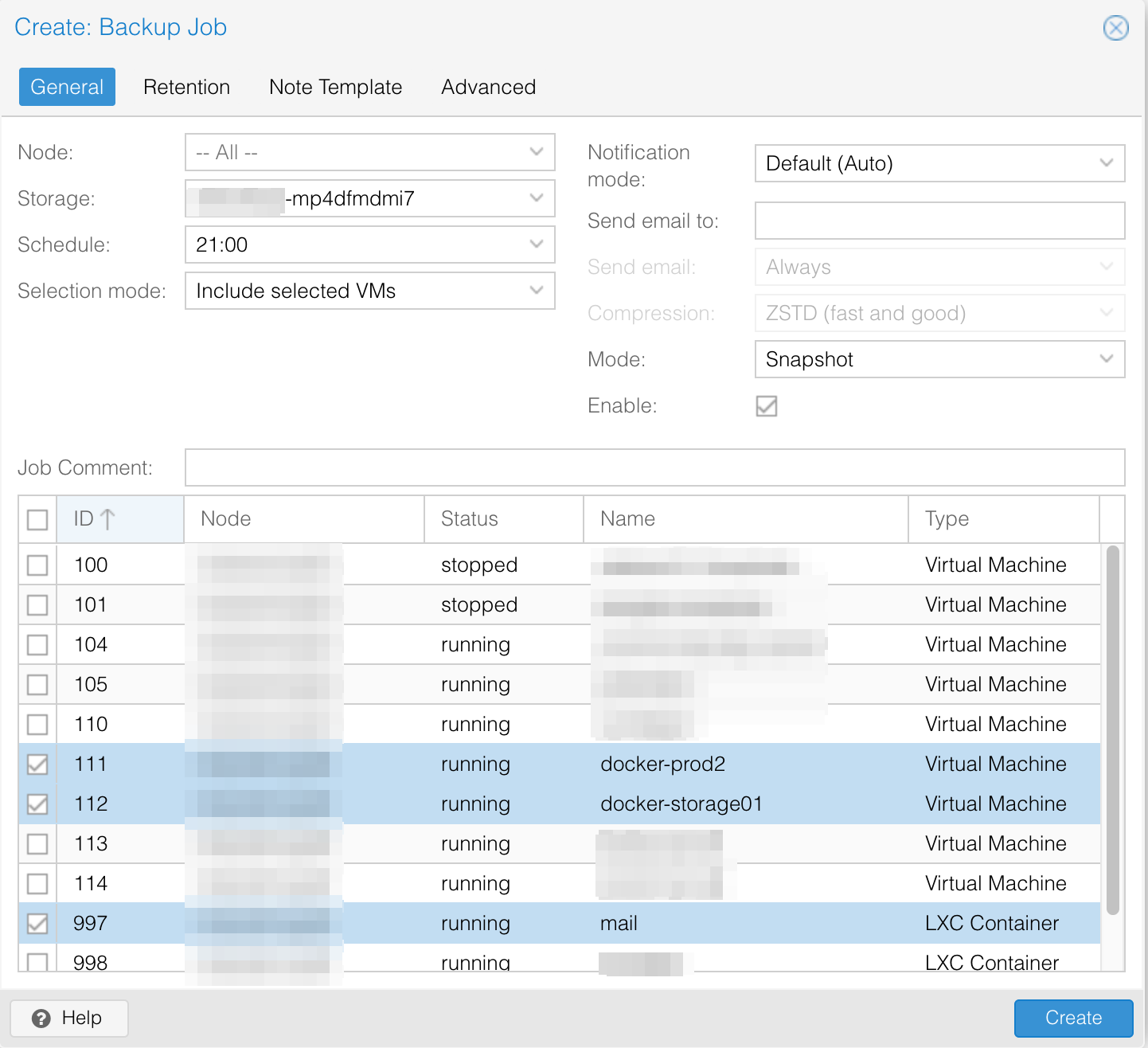
- On the left side select a Datacenter ⇒ Backup ⇒ Add
On the first tab :
-
Select the Node where you want to create backups
-
Select the storage your added before
-
For the schedule, choose something matching your backups needs:
- 1x / day
- 1x / week
- etc.
-
Then, choose the backup mode. You will find information about the different modes here.
For a better backup consistency, you should prefer using the stop mode. This mode results in a short VM interruption. If you don’t want this, prefer using snapshot mode (if your storage is compatible). Start by testing before production is the best solution, but if you’re in a hurry, then prefer snapshot mode.
-
On the server tab below, you can then choose the virtual machines and containers you want to add to this job by checking the box in front of each of them.
-
Then select Create