How to restore encryption key on your Proxmox VE server
Last updated: March 9, 2025
Introduction
Sometimes you may need to deploy a new Proxmox VE server and want to read data from your Cloud-pbs instance to restore a virtual machine.
You have two options :
-
You join your new PVE server in an existing cluster and it’s ok, you don’t need to do anything.
-
You deploy from scratch a new standalone PVE instance which has zero knowledge about your previous encryption settings. This is our point.
PVE Configuration
Once your storage is configured on your Proxmox VE server :
-
On the left side select Datacenter ⇒ storage ⇒ cloud-pbs.com
-
Select Edit button
On the Edit box :
- Select Encryption ⇒ Upload an existing client encryption key ⇒ Browse to your key file ⇒ OK
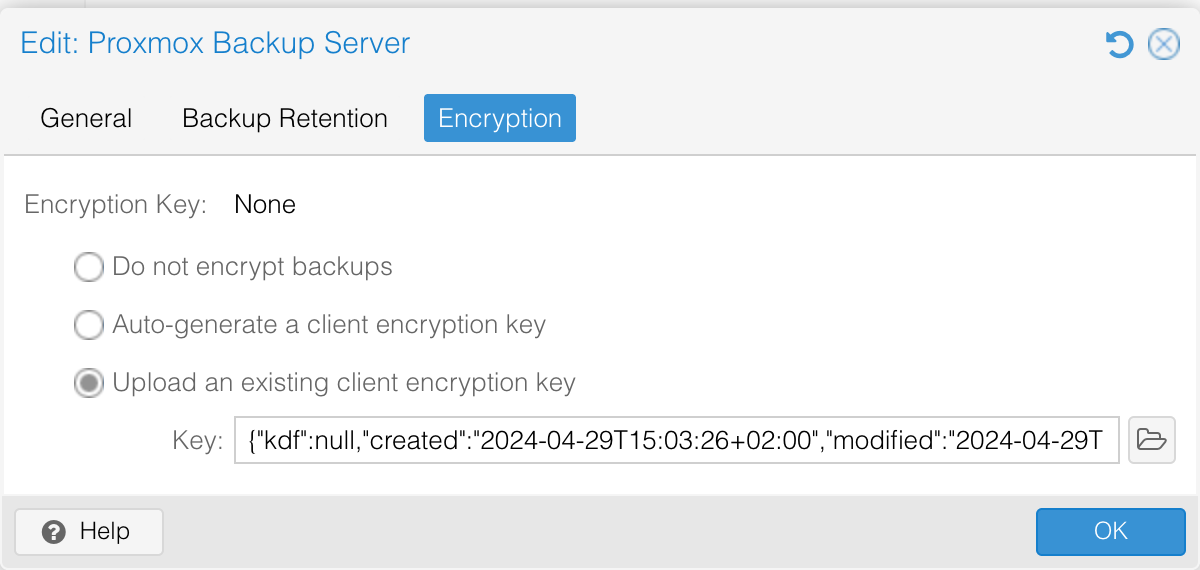
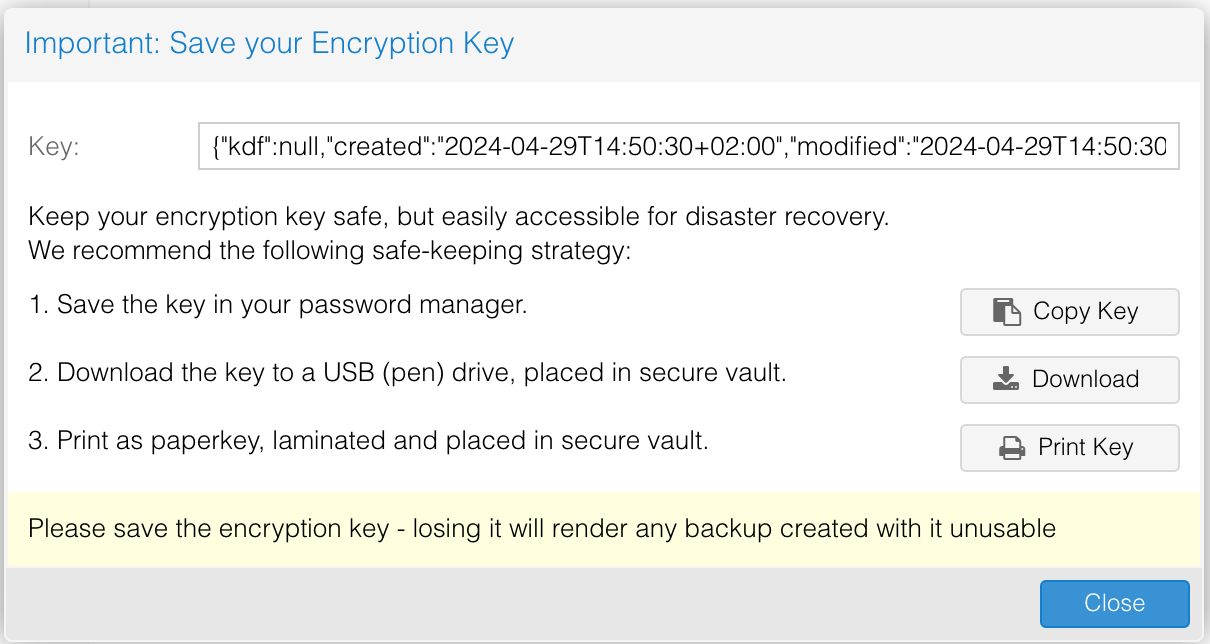
The next form reminds you to backup your key.
-
Save the key in your password manager : At Cloud-pbs, we think that this is the easiest solution. Select the Copy Key button, paste it in your password manager and voila.
-
Download the key to a USB key : This is a way to store offline your key, on a device. Copy the downloaded file to a usb hard disk drive, and place this drive into a safe box.
-
Print as paperkey : The more secure but painfull solution the day you’ll want to use it to restore.
Done, your backups will be encrypted but do not forget : you will need the encryption key to restore your backups.
You can now parse your backups