Create namespaces into a datastore
Last updated: March 9, 2025
Introduction
In Proxmox Backup Server, namespaces are a feature introduced to help organize backup data hierarchically.
They allow users to create logical separations within a datastore, making it easier to manage and control backups, especially in multi-tenant or complex environments.
Namespaces are subdirectories within a datastore that can hold backups.
Each namespace acts like a folder structure under the datastore, and backups stored in one namespace are isolated from those in others.
Namespace creation
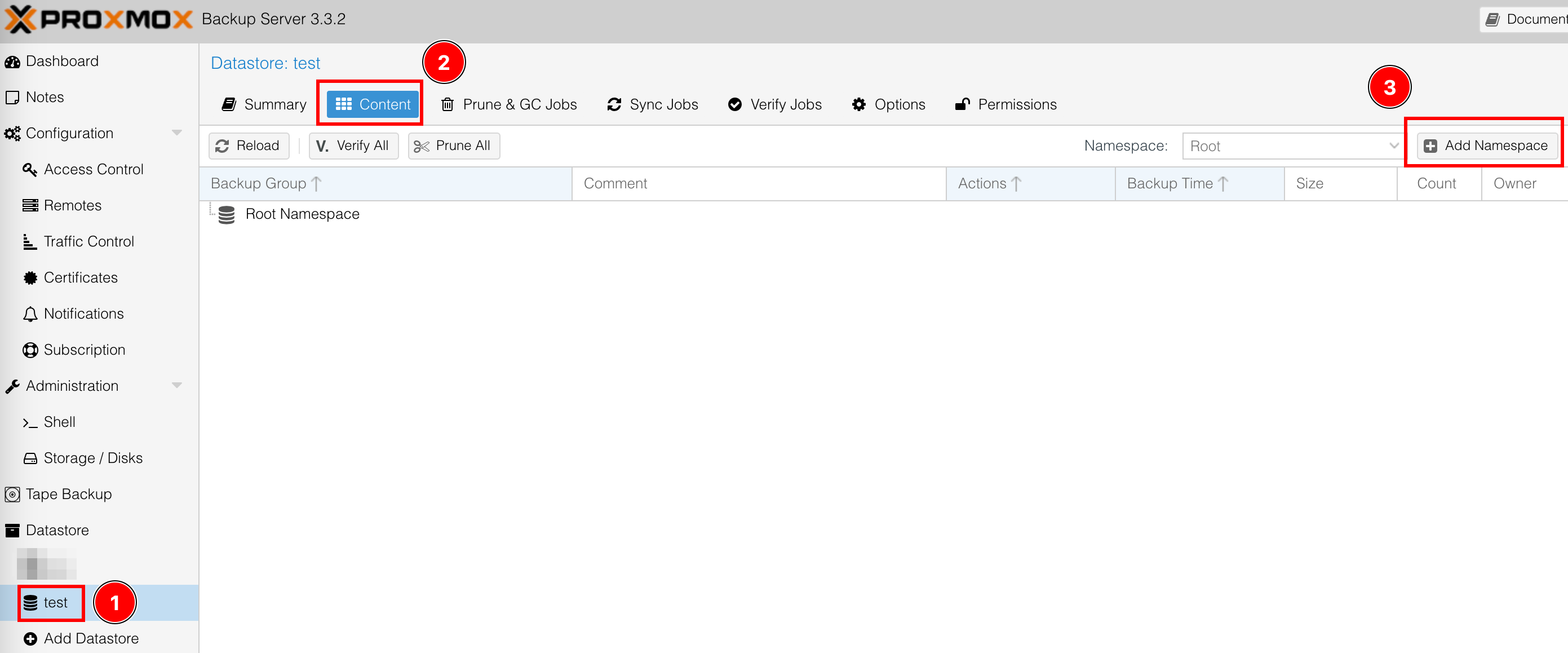
-
Select your datastore
-
Content Content tab
-
Add namespace
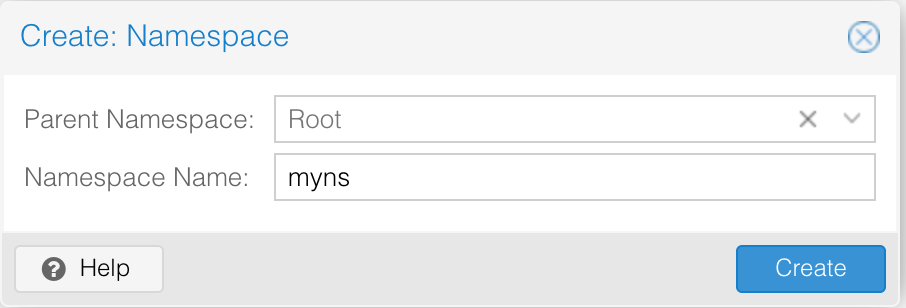
How to use namespace for backups
To configure backups to be stored in a specific namespace, you need to specify the namespace during the datastore configuration described here https://docs.cloud-pbs.com/en/Setup/Get-started#h-3-add-your-cloud-pbscom-storage-to-your-pve
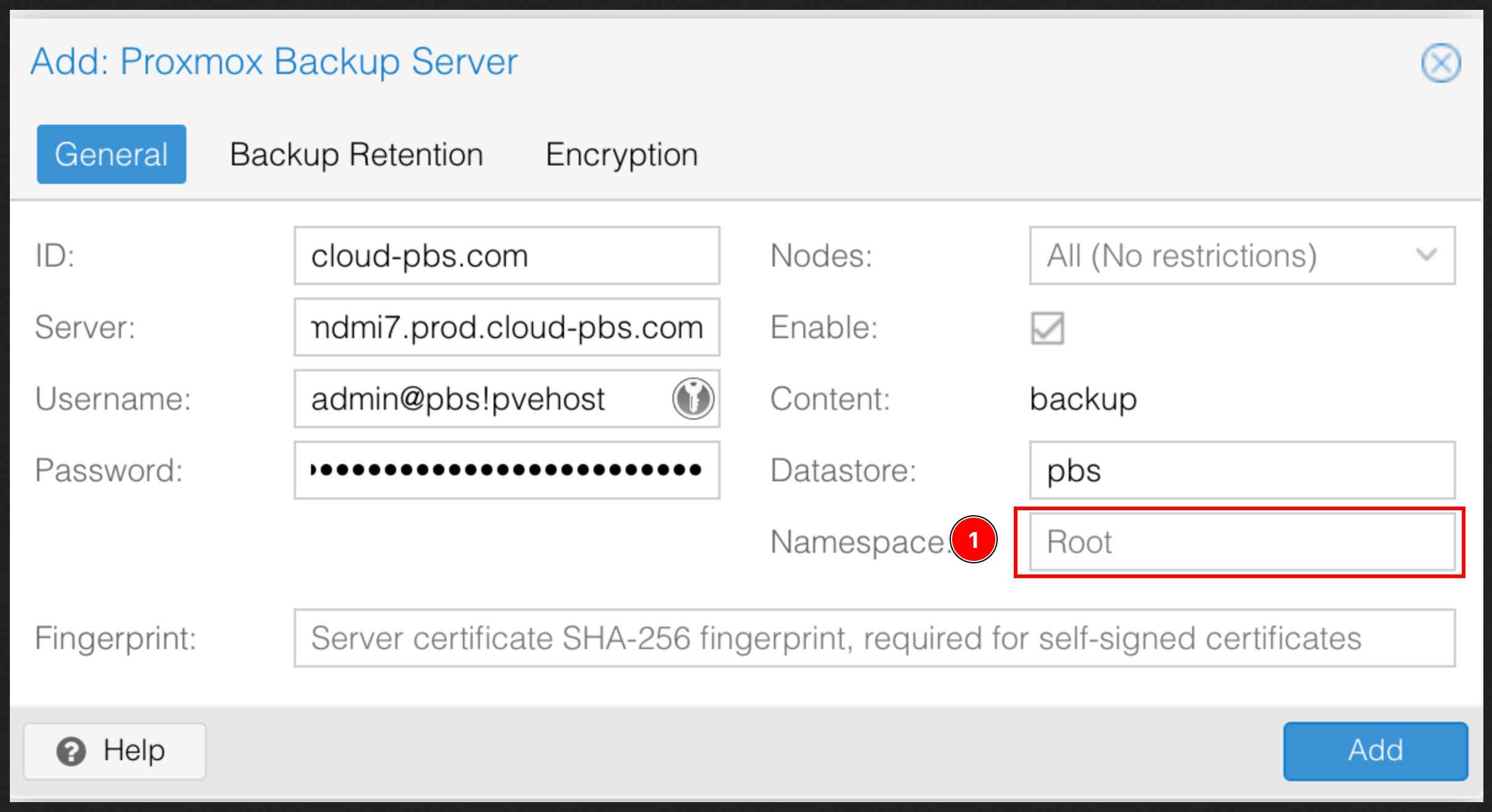
- Add your namespace
Namespace deletion
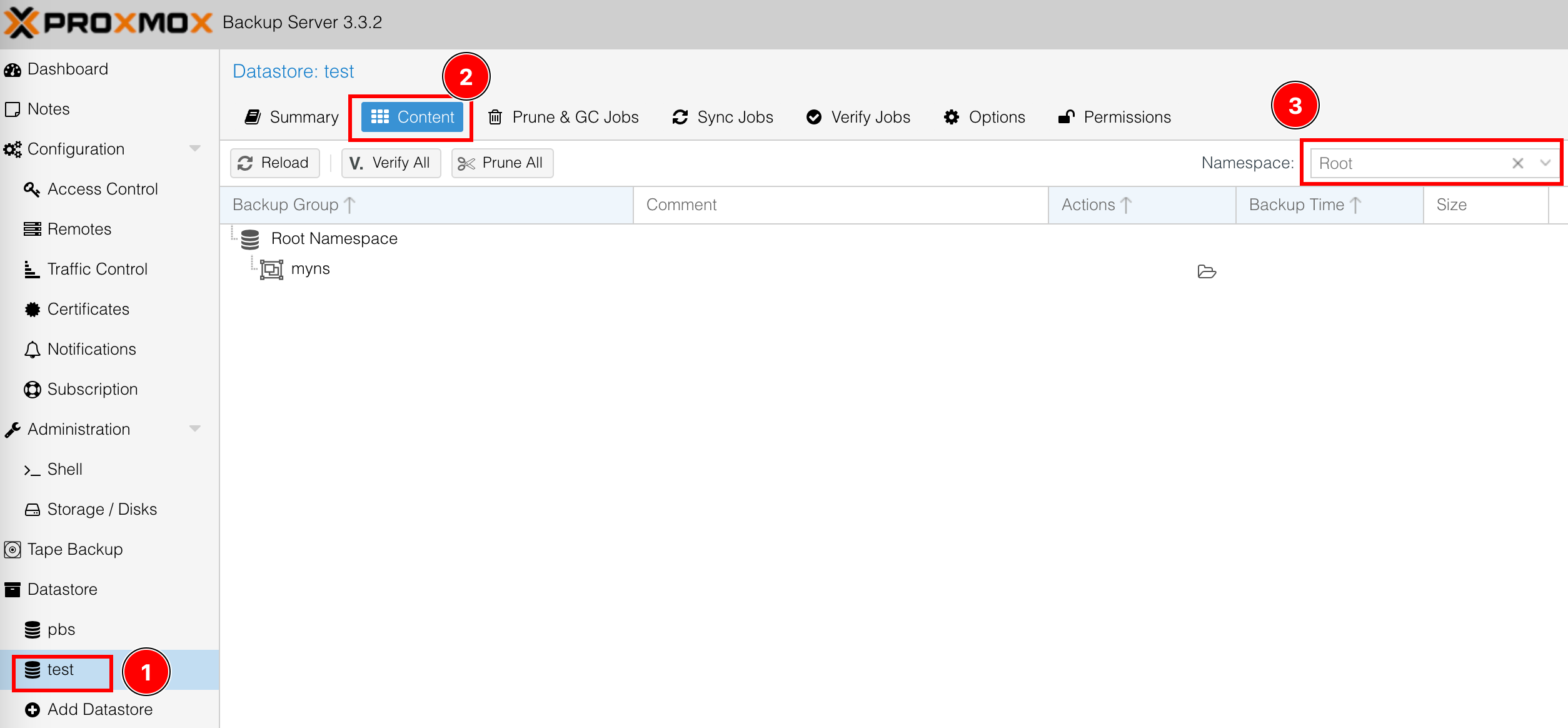
-
Select your datastore
-
Select Content tab
-
Select your namespace
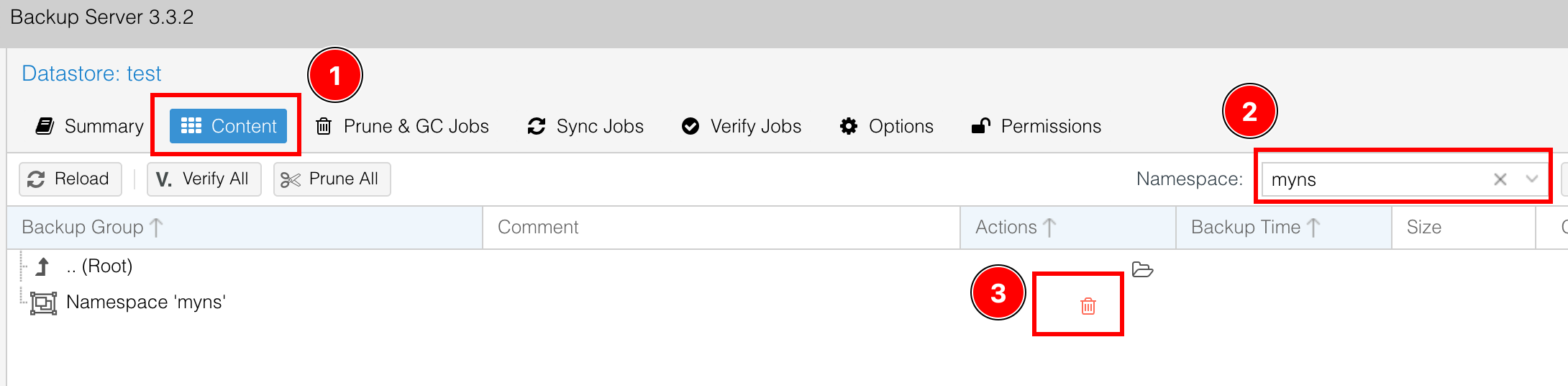
-
Select Content tab
-
Verify your namespace location
-
Select the Trash button
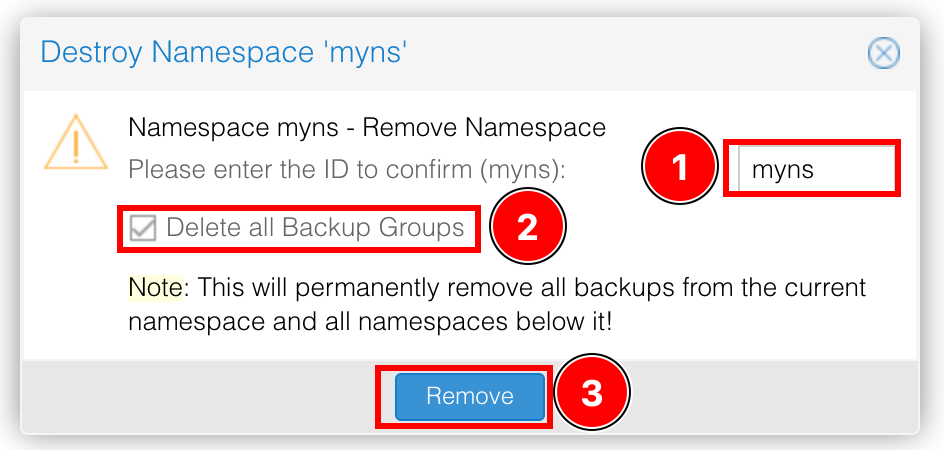
-
Enter the namespace name
-
Select if you want to delete all the backups within your namespace
-
Select Remove